Designing Resumes That Stand Out
Professional resume design tips that help job seekers make a strong impression.
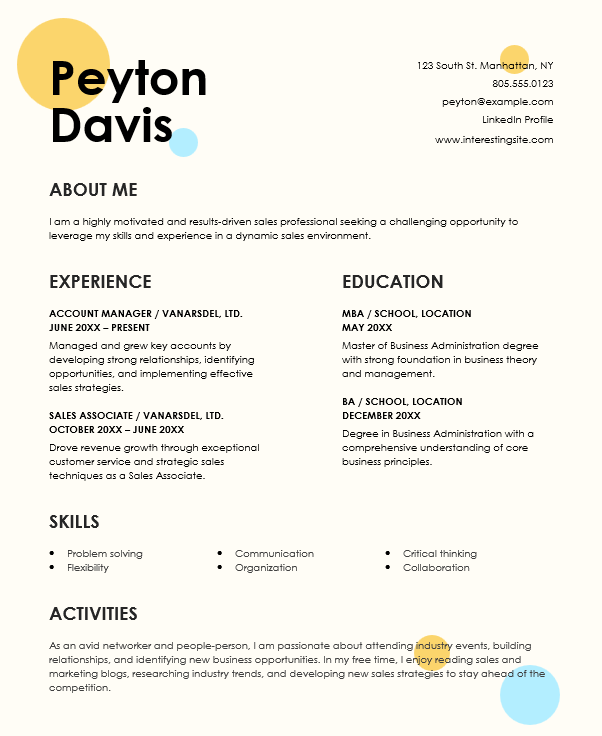
Your resume is often your first impression with potential employers. Learn how to design a resume that showcases your skills effectively.
Understand ATS Systems - Many companies use Applicant Tracking Systems that scan resumes for keywords. Use industry-specific terms and avoid complex formatting that might confuse ATS software.
Choose the Right Format - Select a format that best represents your experience level. Chronological resumes work well for experienced professionals, while functional resumes highlight skills over work history.
Professional Layout - Use a clean, professional layout with consistent margins and spacing. Avoid cluttered designs that distract from your content. White space is your friend.
Typography Matters - Choose readable fonts like Arial, Calibri, or Times New Roman. Use font sizes between 10-12pt for body text and 14-16pt for headings. Limit yourself to 2-3 font styles.
Quantify Achievements - Use numbers to demonstrate impact. Instead of 'Increased sales,' say 'Increased sales by 35% through targeted marketing campaigns.'
Strategic Keywords - Incorporate relevant keywords from the job description naturally throughout your resume. This helps both ATS systems and human recruiters.
Contact Information - Place your contact information prominently at the top. Include your name, phone number, email address, and LinkedIn profile URL.
Tailor for Each Job - Customize your resume for each position you apply for. Highlight relevant experience and skills that match the job requirements.
Proofread Carefully - Spelling and grammar errors can eliminate you from consideration. Have multiple people review your resume before sending it out.